How Remote Custom Tuning Works: Devices, Data Logging, Tune Delivery, and Revisions
Estimated 0 min read
If you want more from your diesel truck without taking it into a tuning shop, remote tuning can give you a practical way to work with an experienced calibrator wherever you are. Instead of bringing the truck to the shop, you provide information about the vehicle, its modifications, what you use it for, and the tuning platform you plan to use.
Blessed Performance provides remote file support for diesel tuning and gasoline engine tuning applications listed in our lineup. Here's what information to have ready, how stock reads and file delivery fit in, and what to check before purchasing data-log support.
What remote tuning means at Blessed Performance
With remote tuning, Blessed Performance handles the calibration work without you bringing your truck into the shop. You and the tuner can work through a supported device and file-delivery process while your truck stays with you.
The remote tuning process depends on the vehicle, tuning product, device, and supported software. Don't assume that two devices use the same file-delivery or logging workflow simply because they support the same vehicle.
Remote delivery describes how the calibration reaches you, not whether the file is preloaded or custom. Our custom vs. preloaded tune comparison explains that choice before you decide which remote workflow fits your truck.
The goal is to match the calibration to your actual build and use, whether that's regular towing or a higher-output weekend truck.
The remote tuning process
The remote tuning process will vary depending on your hardware and vehicle, but it generally involves three major stages, which are gathering vehicle information, creating the calibration, and delivering the file through the supported platform.
Start with your truck and build information
Before Blessed Performance can create a calibration, you need to provide our team with accurate information about your truck. Here’s what we will typically need:
- Year, make, and model
- Engine and transmission
- Existing modifications
- Fuel system changes
- Intake and exhaust components
- Turbocharger configuration
- Other relevant performance parts
- Towing or hauling requirements
- Primary driving conditions
- Tuning device or platform
- Any concerns related to your use case
Include the details of major aftermarket components rather than describing the truck only as modified. A clear parts list helps our team understand the setup and identify any additional information needed before preparing the calibration.
Confirm the platform and device
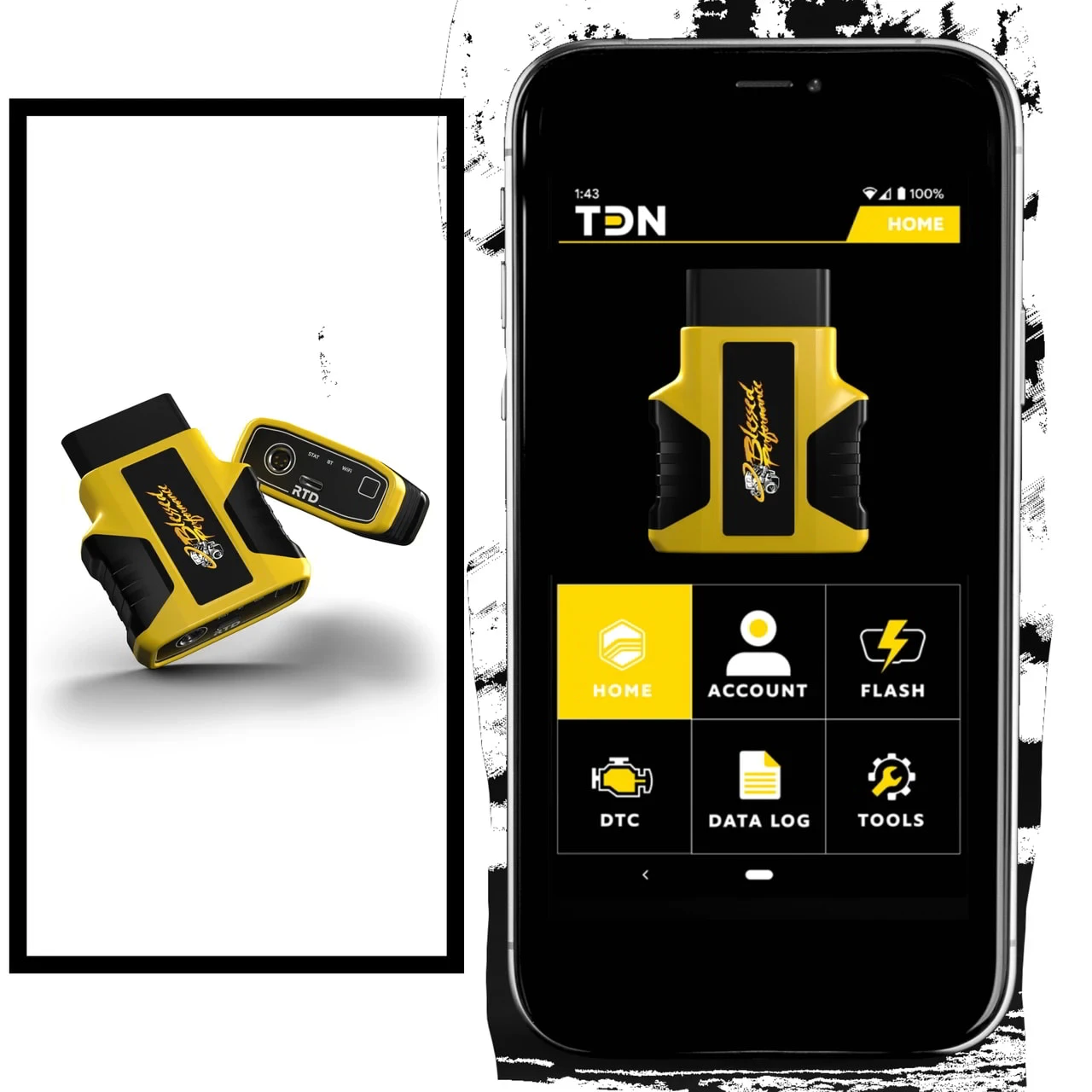
Confirm which device, software, and vehicle connection the chosen service requires. The Blessed Performance RTD Tuning Device uses HP Tuners technology, but its workflow shouldn't be assumed to match every other HP Tuners interface.
If you already own a tuning device, provide that information when you order. If you do not have one, ask which supported option fits your application before purchasing anything. Our team can help you choose a compatible platform based on your tuning goals and vehicle.
Provide a stock read when required
Some vehicle-specific HP Tuners workflows require a stock read before Blessed Performance can prepare the tune. That read supplies the calibration information needed for the applicable file work.
Blessed Performance can then modify the applicable file and return the updated tune through the supported workflow.
A stock read is different from a data log, which records operating information. Follow the instructions for your vehicle and device to confirm whether a read is required and how to provide it.
Build the calibration around your goals
Once the tuner has the necessary vehicle, build, platform, and file information, they can create the calibration file. This is where remote tuning becomes more than simply sending someone a generic file. Your truck’s hardware and intended use give the tuner important context for the calibration.
A truck that regularly pulls a trailer calls for a different discussion than a weekend build focused on added power. Tell us the loads you carry, the parts installed, and the driving behavior you want to improve so those priorities can guide the calibration.
Those goals still have to fit the truck's mechanical condition and supported hardware. More aggressive tuning isn't automatically the better choice for how you use the truck.
Receive the tune through the supported workflow
Blessed Performance emails tune files where the application uses that method. Other products may use a supported app or cloud platform. Receiving the file and transferring it to the vehicle are separate parts of the workflow.
Follow the workflow specified for your application. Don't choose hardware solely because it advertises Wi-Fi or Bluetooth; those features don't establish that the device supports your vehicle, calibration, or preferred delivery method.
Devices, data logging, and revisions
The device you use plays a major role in the tuning process because it connects your truck to the file.
How tuning devices fit into remote tuning
HP Tuners-based RTD devices are one supported route, while other applications use different hardware and delivery systems. Choose the platform identified by the tuning product rather than assuming any compatible-looking interface will work.
Check logging capabilities and purchased support separately. A device's ability to record data doesn't establish that the tuning order includes log review or revisions.
Where data logging can help
Data logging records operating information from a supported vehicle. Collecting a log and having a tuner review it are separate parts of the process.
Some tuning products offer remote data-log support as a separately purchased service. When that support is included in your order, Blessed Performance can review the supplied information within the supported workflow.
Before ordering, confirm whether your hardware can collect the required data and whether review support is included, optional, or unavailable for the application.
How tune revisions work
Revision availability depends on the tuning product and support arrangement. Where purchased data-log support includes calibration review, Blessed Performance may provide revisions based on the logs and the supported workflow.
New modifications or different goals may change the support needed. Confirm what is included with your order before assuming that revisions are unlimited, automatically included, or handled under one standard policy.
Before you order
Have your truck's year, make, model, engine, transmission, and major modification details ready so you can relay this information to our team. If you already have a tuning device, provide that information as well. Explain what you use your truck for most and elaborate on your goals.
Start with Blessed Performance custom tuning to find the appropriate tuning path. Contact our team before ordering to confirm your vehicle, device, build, and remote-support requirements.
FAQs
What information does Blessed Performance need for remote tuning?
You should provide us with your truck’s make, model, year, and engine. Blessed Performance also needs to know about any existing modifications and your current tuning device, if one is installed. Discussing your towing, hauling, or performance goals can also help us tailor the remote custom tuning files to your needs.
Do I need a tuning device before ordering a remote tune?
You may be able to order the compatible device and tuning service together. If you already own hardware, provide the exact device details before ordering. The supported workflow still requires an appropriate vehicle interface; confirm the requirements rather than assuming remote tuning means no device is needed.
When do I need to send a stock read?
Some vehicle-specific HP Tuners workflows require a stock read before we can prepare or modify the calibration. It isn't required for every remote tune. Follow the instructions for your application and device rather than assuming the requirement from the device name alone.
Is data logging included with every remote tune?
No. Hardware logging capability and Blessed Performance's log-review support are separate considerations. Confirm whether your device supports the required logging and whether review support is included with the tuning product or must be purchased separately.
How are tune revisions handled when remote data log support is purchased?
When you purchase applicable remote data log support, Blessed Performance can review the available logs and provide revisions when the supported workflow calls for them. Revision availability depends on the specific service, vehicle, platform, and information provided.